audiolaz Room · in beta
Hear the music, not your room.
audiolaz Room corrects your room’s acoustics, and re-centres the sound wherever you sit.
Try the demo: the app on sample rooms, no computer needed.
Open beta, on application: 30 days of listening for each tester accepted. The store opens after.
Bass swing at your seat
Before: 17dB After, predicted: 7dB
A real room, measured with a microphone at 4 points around the seat. Less swing between bass notes, from 30 to 500 Hz: more even bass.
01How it works
Install, measure, listen.
-
Install
On a Mac or a Linux machine that stays at home. The app installs the corrector and guides you; you drive it from your phone.
-
Measure
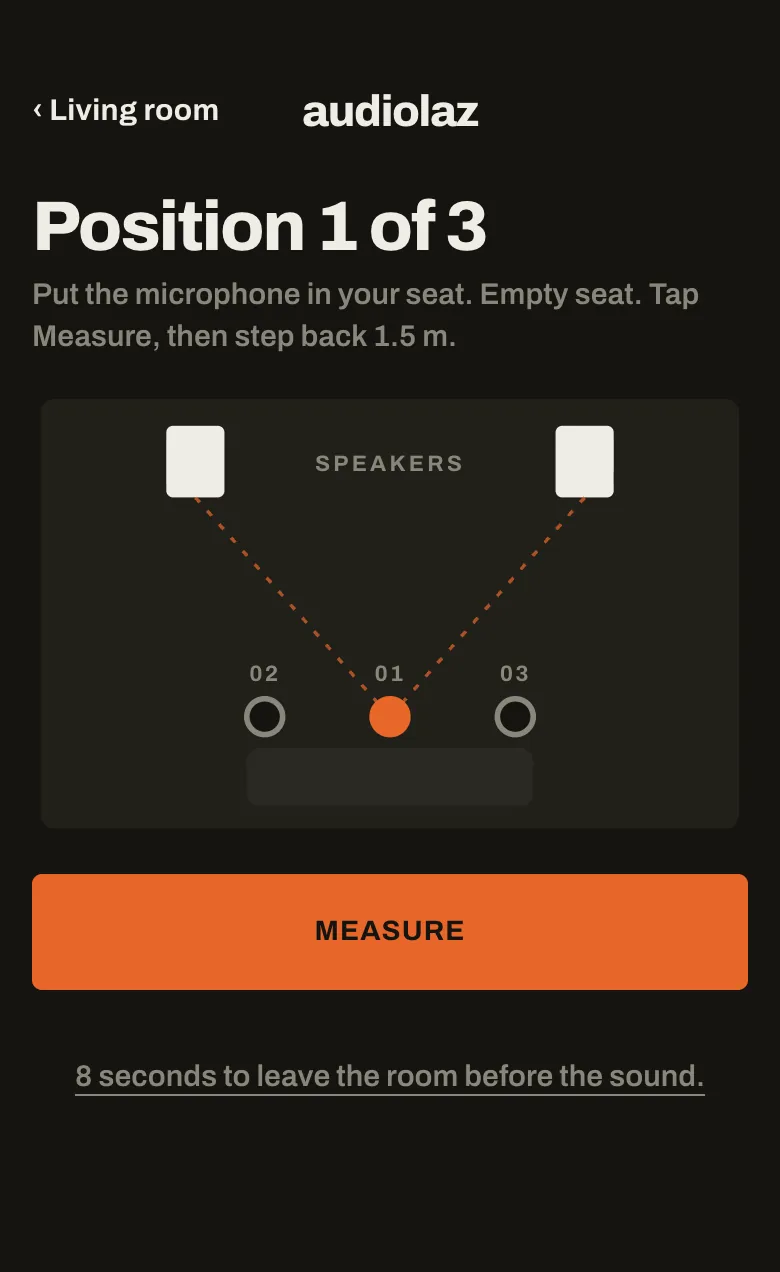
Place the iPhone or a measurement microphone at your seat and follow the screen: three short measurements, a few minutes.
-
Listen
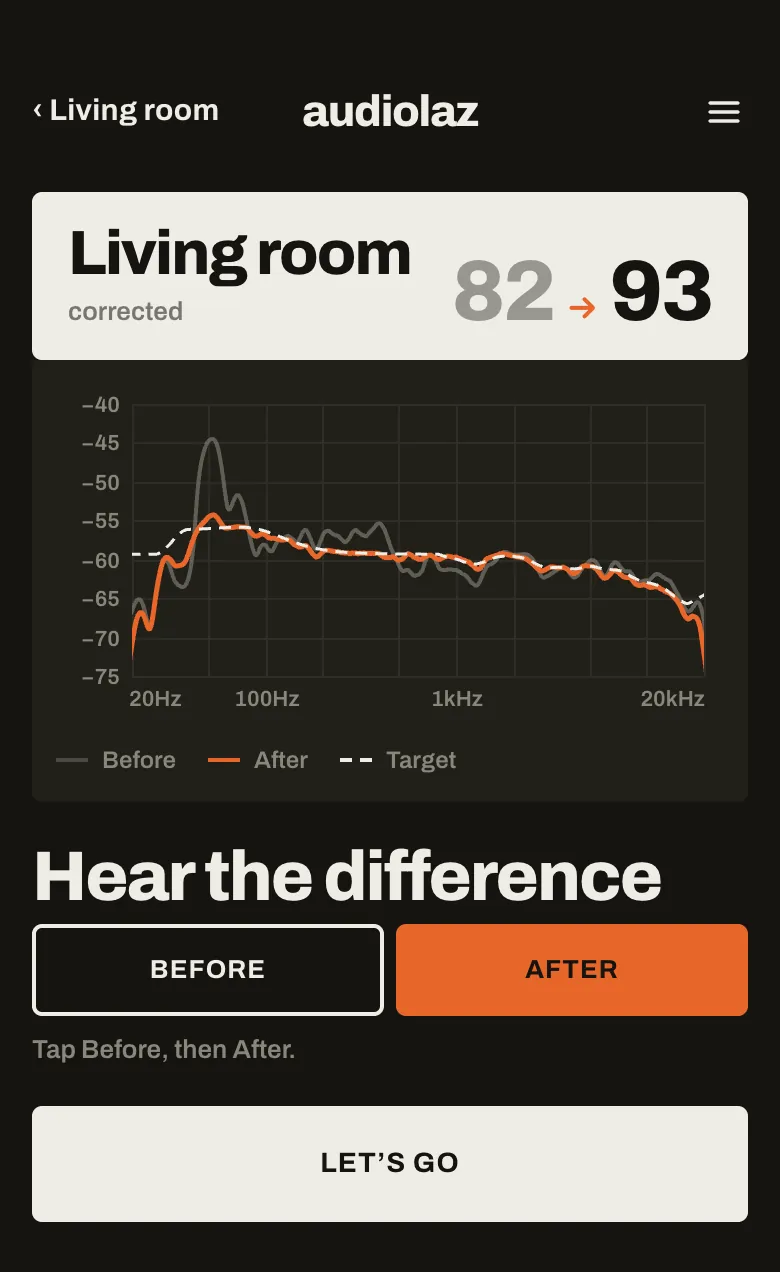
Every source goes through the same correction. Choose a sound, and compare at any time with “No correction”, at the same level.
02New beta
Centre on me.
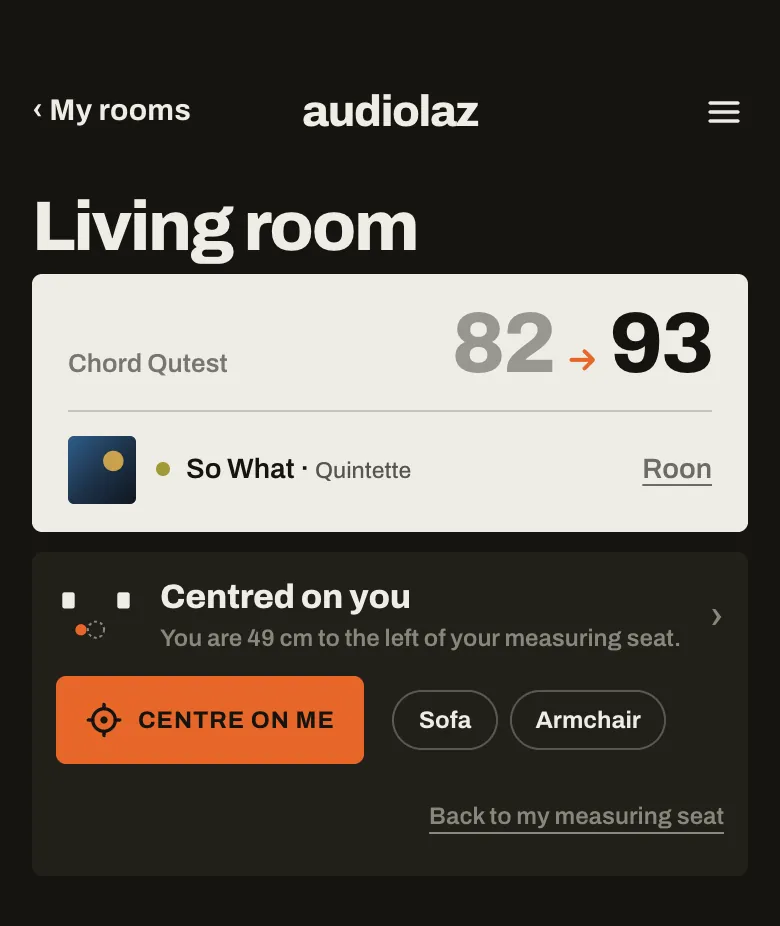
The armchair in the corner, where the sound leaned to one side: sit there, make the gesture with the iPhone, and the stage comes back in front of you.
Wherever you sit
In the centre or off to one side, on the sofa or in a corner: the voice comes back to the centre, and the balance with it.
Without stopping the music
No extra hardware, nothing to set.
Back in one gesture
“Back to my measuring seat” restores the original setting.
Your places, kept
Each room remembers where you sit.
03The app
Built around your rooms.
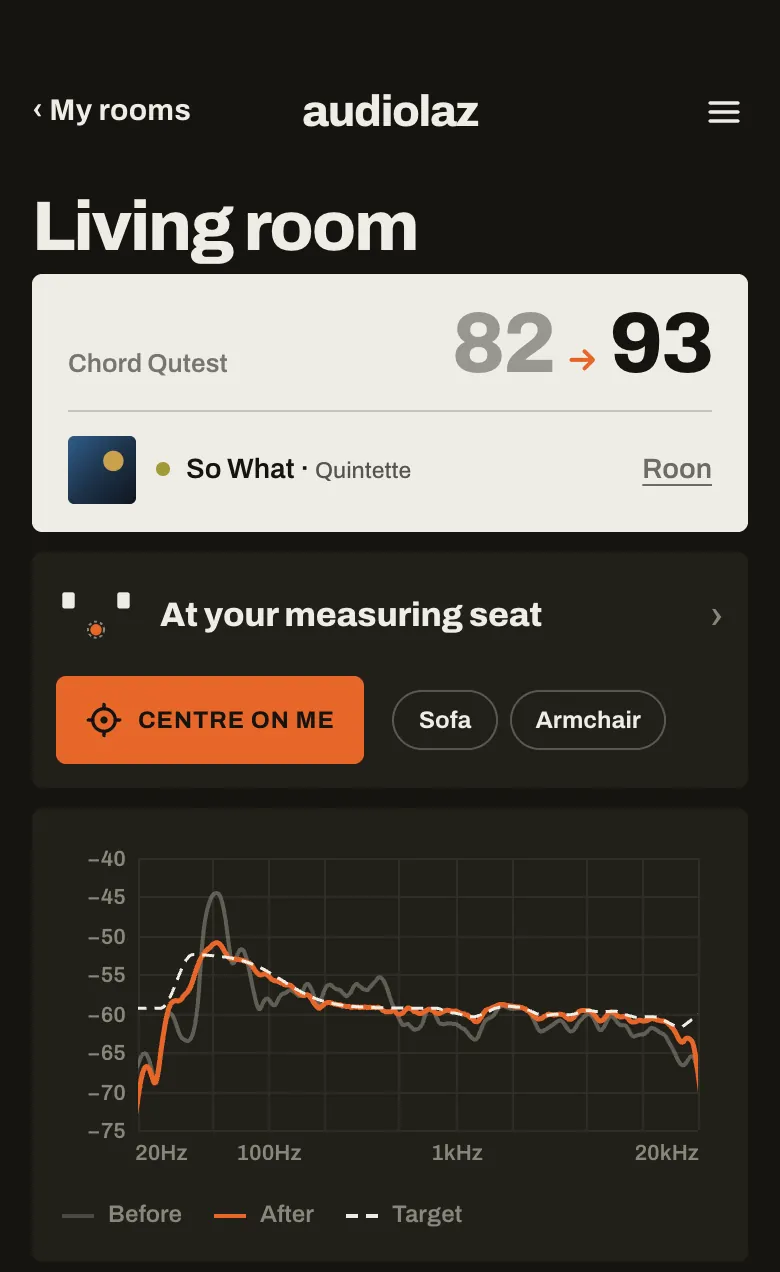
Each room keeps its measurements, its sounds and its places. The app shows what it plays and how it is corrected.
A surer measurement
A clearer sweep, and the volume set step by step before it starts.
Tools for your speakers
Left and right compared at 1 m, live tuning, the subwoofer aligned.
Every sound at the same level
Go from one sound to another, or to “No correction”, without touching the volume.
The whole Mac corrected
An “audiolaz” sound output on the Mac: every app plays through the correction, your DAC stays the output.
audiolaz Link beta
The corrected sound reaches the streamer beside your DAC intact.
Simple to set up
Add a machine from the app. Roon is found by its address, across Wi-Fi and cable, or in Docker.
04Compatibility
Works with what you already have.
- Sources
- Roon, AirPlay (iPhone, iPad, Mac, Apple TV), Spotify Connect, UPnP/DLNA apps and every app on the Mac.
- Outputs
- A DAC over USB, HDMI or S/PDIF, a Diretta target, UPnP/DLNA, Squeezebox and AirPlay network players, audiolaz Link (beta).
- Computer
- Mac, Windows or Linux, for the app and the corrector. On Windows the corrector is new: it plays through a sound card or a USB DAC.
- Measuring
- An iPhone is enough to start; a USB measurement microphone for accurate treble.
- Free
- The audiolaz player, free and open source: every source to your DAC, untouched, bit-perfect and verified. The free player
From a beta tester
Heard in a real room.
“The most noticeable change was in the bass performance. Low frequencies became tighter, cleaner and better controlled, giving music more definition. Soundstage performance remained excellent, with good width and stability.”
Measure first, decide after.
Measuring and its result will be free: you see what the correction will do in your room before you buy. Beta testers, accepted on application, have 30 days of listening.
Or write to us: contact@audiolaz.com. A question? The answers and the forum.